General Description
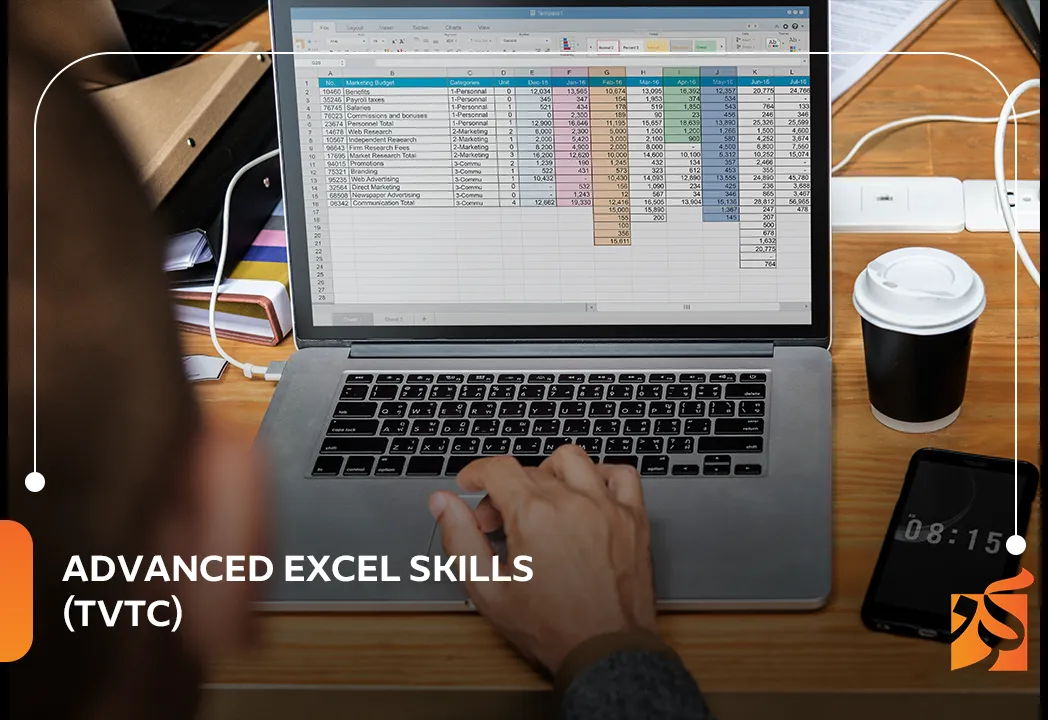
The Advanced Excel Skills (TVTC) course is a professional training program designed to enhance participants’ ability to use Microsoft Excel at an advanced level beyond basic functions. The course focuses on data analysis, professional reporting, advanced formulas, pivot tables, and automation tools within Excel.
It also helps learners improve their ability to work with large datasets and make data-driven decisions, increasing productivity across various work environments.
The Goals
- Master advanced Excel functions.
- Create and analyze Pivot Tables.
- Efficiently handle large datasets.
- Build professional reports.
- Use data visualization tools.
- Automate tasks within Excel.
- Improve data-driven decision making.
- Enhance office productivity skills.
Target Auidence
- Finance and administrative staff.
- Data analysts.
- Human resources professionals.
- Business students and graduates.
- Entrepreneurs and business owners.
- Anyone using Excel in daily tasks.
The Features
- Intensive hands-on Excel training.
- Simplified explanation of advanced tools.
- Real-world data applications.
- Development of data analysis skills.
- No programming required.
- Suitable for multiple fields.
- Increased workplace productivity.
Topics
Introduction to Advanced Excel
- Review of basic Excel functions.
- Excel workspace overview.
Advanced Functions
- Advanced IF statements.
- VLOOKUP and XLOOKUP.
- Text and date functions.
- Nested formulas.
Data Analysis
- Advanced sorting and filtering.
- Large dataset analysis.
- Statistical tools.
Pivot Tables
- Creating Pivot Tables.
- Data analysis with Pivot.
- Pivot Charts.
Data Visualization
- Creating charts and graphs.
- Dashboards and reporting.
Automation
- Introduction to Macros.
- Automating repetitive tasks.
Learning outcomes
By the end of the course, participants will be able to:
- Use Excel at an advanced professional level.
- Analyze data efficiently.
- Create reports and dashboards.
- Handle large datasets.
- Automate repetitive tasks.
- Support data-driven decision making.
Requirements And Conditions
- Basic knowledge of Excel.
- Understanding of data entry basics.
- General computer skills.
- Willingness to develop analytical abilities.
FAQs
Reviews (6)
-
يعطيكم العافية على جهودكم
-
شرح وافي
-
المدرب غير قوي



The Blog
In today’s data-driven world, the ability to manage, analyze, and interpret data efficiently has become one of the most valuable professional skills. Microsoft Excel remains one of the most powerful and widely used tools for data handling, reporting, and decision support across industries.
The Advanced Excel Skills (TVTC) course is designed to move learners beyond basic spreadsheet usage into a more professional and analytical level of Excel. It focuses on advanced formulas, data analysis tools, automation techniques, and dashboard creation to help users transform raw data into meaningful insights.
This course is not just about mastering functions—it is about developing a structured way of thinking that allows professionals to solve problems and make informed decisions using data.
Importance of Advanced Excel in the Workplace
Excel is used in almost every business environment, including finance, administration, human resources, marketing, and operations. Advanced Excel skills enable employees to:
- Process large datasets efficiently.
- Generate accurate reports quickly.
- Identify trends and patterns in data.
- Support strategic decision-making.
- Improve productivity and reduce manual work.
Organizations rely heavily on employees who can turn complex data into clear and actionable information.
Moving from Basic to Advanced Excel
Basic Excel usage includes simple data entry, formatting, and arithmetic calculations. Advanced Excel, however, involves:
- Complex formulas and nested functions.
- Data modeling and analysis.
- Interactive reporting tools.
- Automation using macros.
- Advanced visualization techniques.
This shift transforms Excel from a simple spreadsheet tool into a powerful analytical platform.
Advanced Excel Functions
One of the core components of the course is mastering advanced formulas and functions, including:
Logical Functions
Functions such as IF, AND, OR, and nested IF statements help users perform decision-based calculations within spreadsheets.
Lookup Functions
Functions like VLOOKUP, HLOOKUP, and XLOOKUP are essential for retrieving data from large tables efficiently.
Text and Date Functions
These functions help clean, format, and manipulate text and date values for better data organization.
Statistical Functions
Used for analyzing trends, averages, distributions, and performance metrics.
Data Analysis Techniques
Advanced Excel enables users to perform in-depth data analysis, including:
- Sorting and filtering large datasets.
- Identifying trends and anomalies.
- Summarizing complex data structures.
- Performing what-if analysis.
These techniques help organizations make evidence-based decisions.
Pivot Tables and Pivot Charts
Pivot Tables are one of the most powerful tools in Excel for summarizing and analyzing large datasets.
They allow users to:
- Quickly summarize thousands of rows of data.
- Rearrange data dynamically.
- Analyze information from multiple perspectives.
- Create interactive reports.
Pivot Charts further enhance visualization by turning summarized data into clear graphical representations.
Data Visualization and Dashboards
Data visualization plays a critical role in making information understandable and actionable.
Advanced Excel users can create:
- Charts and graphs for trend analysis.
- Interactive dashboards for real-time reporting.
- Visual summaries for executive decision-making.
Dashboards help decision-makers quickly understand key performance indicators (KPIs).
Automation with Macros
Macros allow users to automate repetitive tasks, saving time and reducing human error.
Common uses include:
- Automating report generation.
- Formatting large datasets instantly.
- Performing repetitive calculations.
- Streamlining workflow processes.
This introduces basic programming logic within Excel using VBA (Visual Basic for Applications).
Data-Driven Decision Making
One of the main goals of advanced Excel skills is to support better decision-making. By analyzing data effectively, professionals can:
- Compare alternatives objectively.
- Evaluate performance accurately.
- Predict future trends.
- Reduce uncertainty in decision-making.
Challenges in Advanced Excel
Despite its power, advanced Excel usage comes with challenges such as:
- Complexity of advanced formulas.
- Managing very large datasets.
- Ensuring data accuracy.
- Understanding relationships between datasets.
- Learning automation techniques.
These challenges require practice and continuous learning.
Role of Excel in Modern Organizations
Excel remains a critical tool in modern workplaces because it:
- Supports financial planning and budgeting.
- Enables performance tracking.
- Assists in operational decision-making.
- Enhances reporting accuracy.
- Improves overall business efficiency.
Even with new technologies, Excel continues to be a foundation for business analytics.
Future of Excel and Data Skills
The future of Excel is closely linked with artificial intelligence and data analytics tools. Modern versions already include features like:
- AI-powered data insights.
- Advanced forecasting tools.
- Integration with cloud platforms.
- Real-time collaboration.
Professionals who master Excel today are better prepared for future data-driven roles.
Conclusion
The Advanced Excel Skills (TVTC) course provides essential knowledge and hands-on skills that empower learners to move beyond basic spreadsheet use into professional data analysis and reporting.
In a world where data is a key asset, Excel skills are no longer optional—they are essential. Mastering advanced Excel allows individuals to improve efficiency, support decision-making, and contribute meaningfully to organizational success.
Ultimately, this course transforms users from simple spreadsheet operators into confident data professionals capable of turning information into insight and insight into action.